 whiffs
A GUIDE TO WHIFFS
Find and practice VALORANT lineups.
See how to narrow down the library, preview a clip, and use its reference frames to practice in a custom match.
See how it works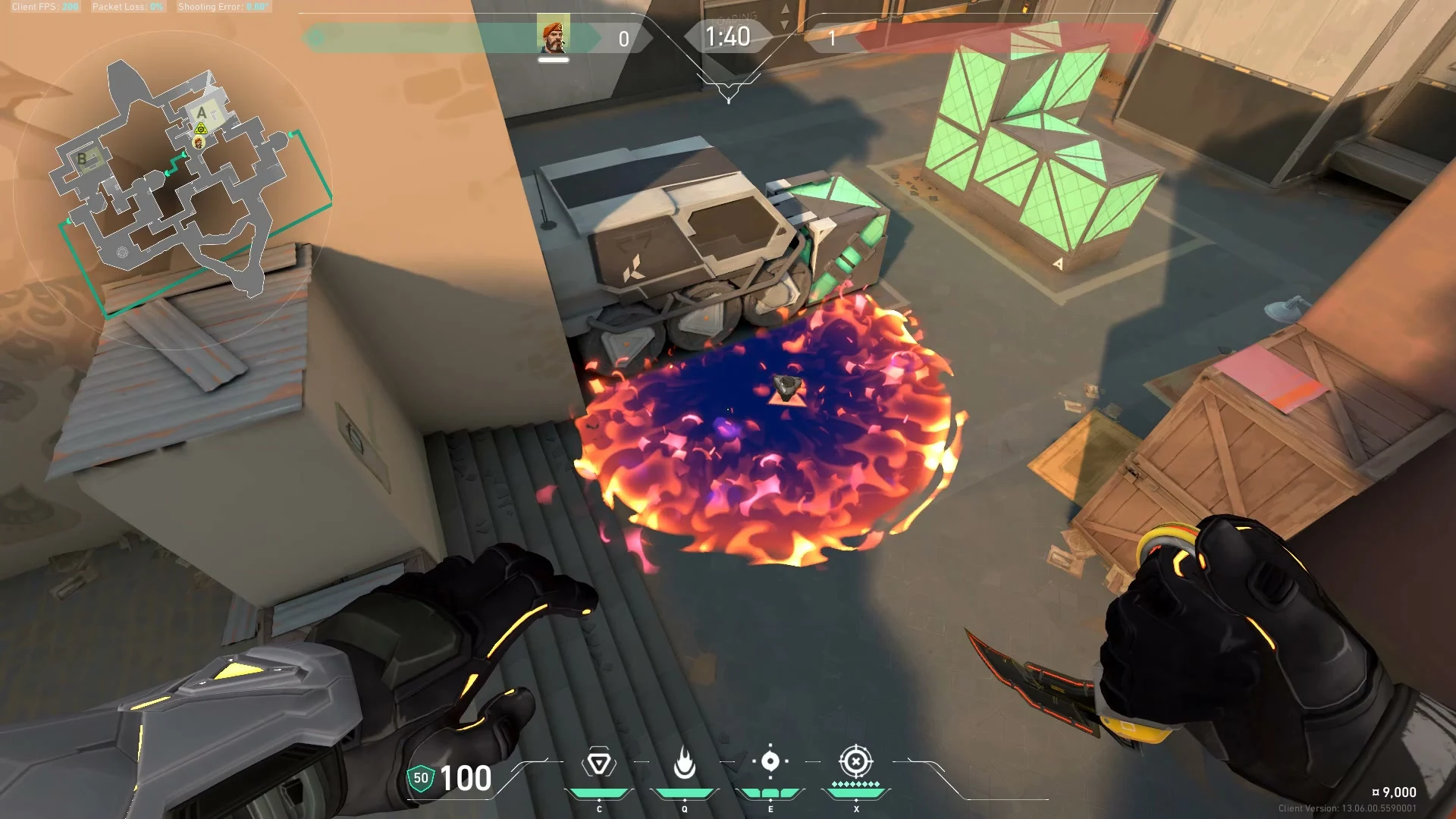
How Whiffs works
-
Find a lineup for your round
In Home, choose a map and agent. Narrow the results by attack or defense, then pick a site once you’ve selected a map. You can also search by name or open Explore to browse creators.
-
Preview the clip
Select a result to see the clip and ability. Watch the entire throw once and check where the utility lands. Open the expanded view when you want to see the clip and its reference frames together.
-
Compare the reference frames
Use Where to stand for your starting position, Where to aim for your crosshair, and Landing area to check which part of the site the utility reaches.
-
Repeat it in a custom match
Try the throw three times from the same spot and check each landing. If the result changes, watch the clip again to see when the player releases the ability and whether they’re moving.
Read the reference frames
These three examples come from the same Whiffs clip. Select a frame to open it at 1920 × 1080.
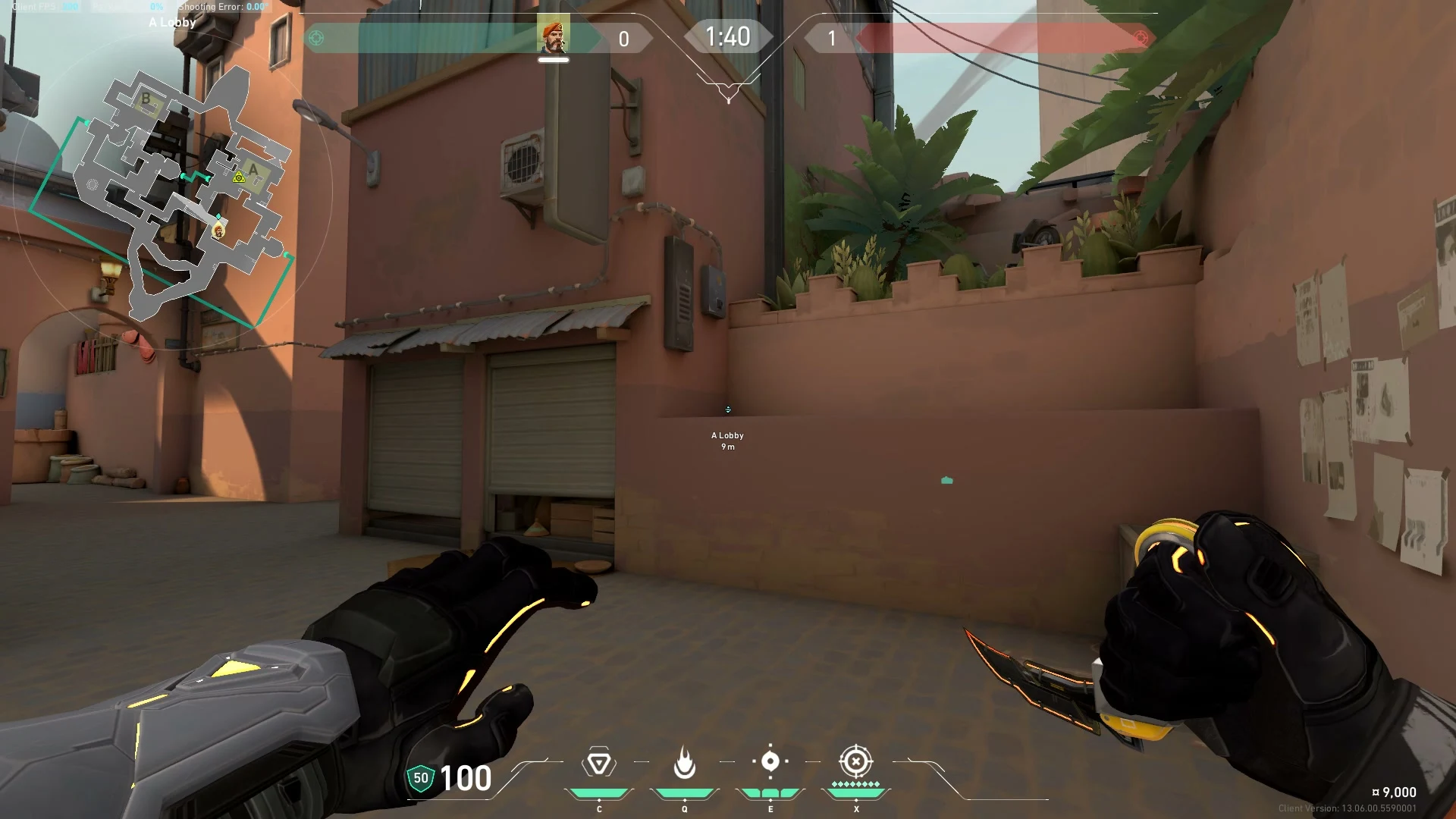
Where to stand
Look for a corner, ledge, or other fixed landmark you can find again in a match.
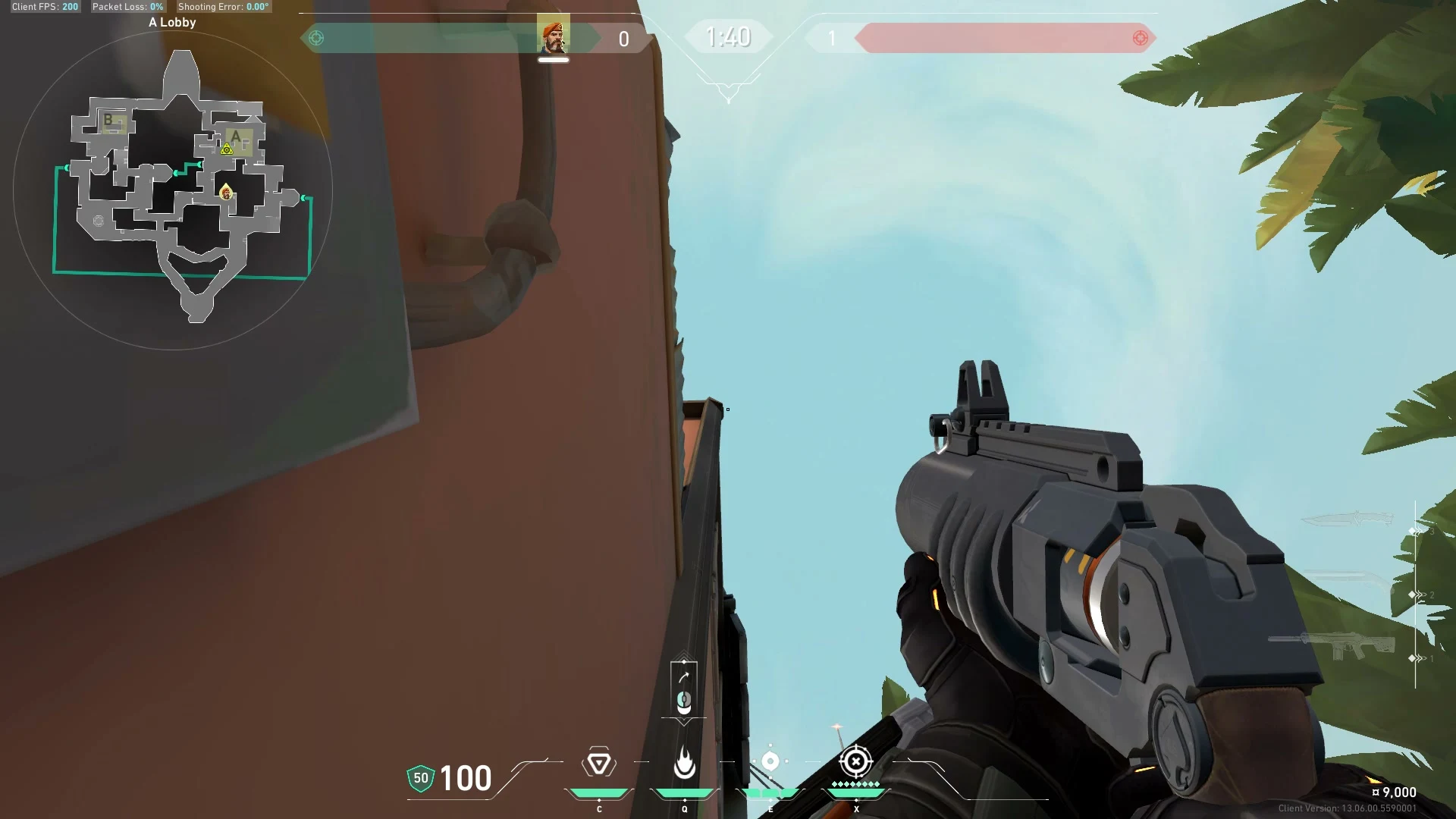
Where to aim
Compare the crosshair against the nearest edge or detail in the scene.
Landing area
Check where the ability takes effect and if it reaches your intended spot.